
Gucci Ace White Embossed GG Monogram Web Stripe Lifestyle Sneakers
5 photos
View
A Yupoo storefront page is dense, partly in Chinese, and identical across thousands of sellers once you know where to look. Learn the furniture once and every album becomes readable.
 Partner catalogue

Every storefront has the same four zones: a header with the shop name and contact, a category rail, a grid of albums, and a footer of recommended or recent listings. Once you can locate them, a new seller takes about fifteen seconds to orient in.
Prices sit inside the caption, not in a separate field, which is why a screen reader or a spreadsheet cannot reliably parse them. A typical line reads like a product name, then a colour, then a price with a currency marker. Some sellers write "P:" before the number. Some write the price twice: one for a single piece and one for a batch of ten.
Sellers label production runs with letters — the "N version", "S version", "G version" style of code — and a listing can move between them without the photo changing. That is why "which batch is this?" is the highest-value question you can ask before buying, and why a screenshot of an old listing can be genuinely misleading.
A listing with four frames is a normal listing. A listing with one frame is either new or nearly sold out. A category with no dates is a re-mixed archive, not a live section.
| Zone | What it tells you | Action |
|---|---|---|
| Header zone | Shop name, URL handle, contact. Confirm the handle here before anything else. | Confirm the handle character by character |
| Category rail | The real navigation. If a page has no rail, it is a filtered view or a copy. | Open the rail before you scroll the grid |
| Album grid | Photo sets. The price is inside the caption, usually as P: 3xx. | Read the caption for price and colourway |
| Card overlay | A number showing frame count. One frame is a warning sign, four or more is normal. | Open any card with fewer than three frames with suspicion |
| Footer strip | Recent and recommended listings, the fastest read on album freshness. | Check the newest listing date first |

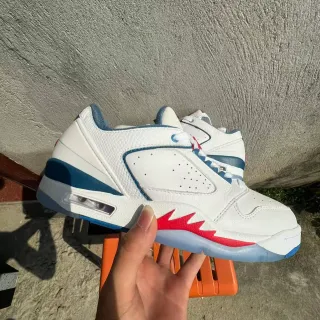
Photos are partner catalogue listings, used to show how a card is built: name, frames, price in the caption.
Because the album is aimed at domestic buyers first. Category names are the usual place where translation stops.
Not reliably on the album itself. Save the product hash and check it again in a week; a listing that reappears at the top has been re-shot.
Usually the photo count for that listing. Some albums use it as a batch marker, which is why you should hover or open the card before assuming.
A Yupoo order is not a checkout. It is a photo album, a conversation and an agent. This is the full sequence, …
Quality controlQC photos are the whole reason the agent model works. Here is the checklist that turns a stack of blurry wareh…
FitAlmost every sizing disaster in this ecosystem comes from treating a size label as a measurement. This page re…
LogisticsShipping is the largest variable cost in a Yupoo order, and the one most first-timers budget wrong. Here is ho…